The usual GKE desktop setup starts outside the desktop app: install gcloud, authenticate in a terminal, choose a project, run get-credentials, then hope the resulting kubeconfig is the one your Kubernetes UI is reading.
Krust has a second path. In File → Add Cluster…, choose Google Cloud, sign in with your Google account, enter a project ID, choose a discovered GKE cluster, and add it to Connection Center.
The important boundary is deliberate: an existing or imported kubeconfig—including one for GKE—stays Free. Managed Google account sign-in and GKE discovery are a Pro capability. Since Krust 1.7.0, Google has verified Krust, so any Google account can sign in and authorization no longer expires after seven days.
What changes in the connection workflow
The managed path does four pieces of setup inside Krust:
- Google account authorization in the native authentication session.
- Explicit project ID entry instead of requesting permission to enumerate every project the identity might see.
- GKE discovery across the entered project’s locations.
- Explicit endpoint choice before Krust creates the Kubernetes connection.
This removes the local CLI and downloaded-kubeconfig step. It does not create a GKE cluster, change IAM, change Kubernetes RBAC, or bypass network policy. Krust discovers what the signed-in identity can already access, then uses that identity to connect to the Kubernetes API.
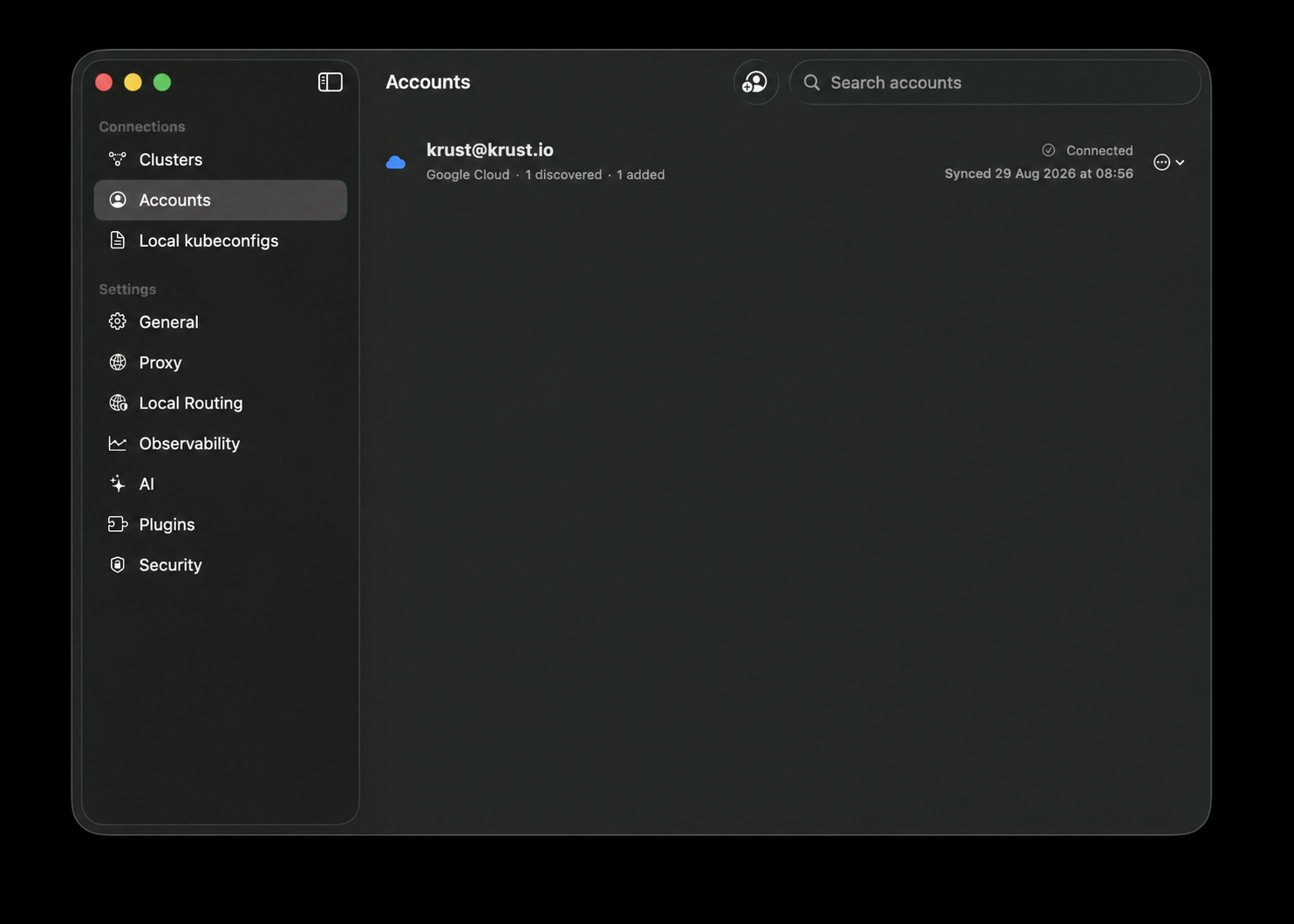
The managed account remains visible in Connection Center, alongside local kubeconfig contexts. It records the connection state and the latest discovery sync without exposing a personal account in the public product documentation.
Why explicit project ID entry matters
Google’s GKE API lists clusters under a project and location. Krust calls that discovery path only for the project ID you enter, using the wildcard location form that covers regional and zonal clusters. The relevant API permission is container.clusters.list; a cluster that never appears may be a permissions issue, a disabled GKE API, or an incorrect project ID.
Endpoint choice is not cosmetic
GKE exposes control planes through DNS-based and IP-based endpoints. Those endpoints have different network and policy requirements:
- DNS endpoint: appropriate when the organization has enabled it and the account and network satisfy its policies.
- Public IP endpoint: only works when the cluster’s authorized-network controls allow the Mac.
- Internal IP endpoint: needs a route into the private network, commonly through a corporate VPN.
Krust shows endpoint options reported by the cluster. Choosing one is still an operator decision: the app can select a valid cluster endpoint, but it cannot make a private control plane reachable from an unmanaged network.
Google recommends DNS-based endpoint access when it fits the organization because it allows policy-based access; teams should keep their existing network and IAM design intact rather than opening the public endpoint for a desktop workflow.
Credentials stay scoped to the connection
The native Google flow uses authorization code + PKCE. Krust stores the managed refresh credential in macOS Keychain, refreshes the access token for active GKE sessions, and provides an account-level disconnect action. Disconnecting removes Krust’s connection metadata and credential for that account. It does not delete cloud clusters or alter the Google project.
That distinction matters in production: the desktop convenience layer should not quietly become infrastructure administration.
Free versus Pro is straightforward
| Capability | Free | Pro |
|---|---|---|
| Existing and imported kubeconfig contexts | Yes | Yes |
| Google account sign-in from Krust | No | Yes |
| Project-ID-based GKE discovery | No | Yes |
| DNS, public, or internal endpoint selection | No | Yes |
| Single-pod logs, YAML, Helm, security audit, Agent BYOK | Yes | Yes |
| Multi-pod logs, cross-cluster diff, multiple DNS mappings, one-step port-forward reopen | No or limited | Yes |
The capability map is on the pricing page, and the implementation steps are in the Google Cloud and GKE setup guide.
The connector first shipped as a preview in Krust v1.5.7 and is open to every Google account since Krust v1.7.0.
If Google sign-in fails
First confirm that you finished sign-in with the Google account you intend to use; a Google Workspace administrator can also block third-party apps for the organization. A redirect_uri_mismatch error is native OAuth client configuration—not a Kubernetes permissions failure. Use the current supported Krust release and report the app version plus error text to [email protected]. The Free kubeconfig path remains available while the managed connection issue is resolved.