A Kubernetes Service has no endpoints when its selector does not currently resolve to eligible backend Pods. The usual causes are mismatched labels, Pods in another namespace, failed readiness, or a Service without a selector. Check the Service, its EndpointSlices, and the selected Pods before changing DNS or network policy.
TL;DR
- Confirm the Service exists in the namespace you expect.
- Read
spec.selectorandspec.ports. - List the Pods matching that exact selector.
- Inspect the Service’s EndpointSlices.
- If Pods match but are not endpoints, check readiness and terminating state.
- Test a Pod directly before investigating DNS, kube-proxy, or network policy.
Do not restart CoreDNS because an EndpointSlice is empty. DNS can resolve a Service name correctly even when the Service has no backends.
What does “no endpoints” actually mean?
For a normal selector-based Service, the EndpointSlice controller evaluates the Service selector and records matching backends in one or more EndpointSlice objects. An empty slice means the routing layer has no eligible Pod address to send traffic to.
The Kubernetes documentation gives the key diagnostic: when an EndpointSlice shows no endpoints, compare the Service’s spec.selector with the target Pods’ metadata.labels. A one-character label mismatch is enough to disconnect the Service from every Pod.
This distinction narrows the search:
| Evidence | What it tells you |
|---|---|
| Service is missing | Wrong name, namespace, or deployment |
| No Pods match the selector | Label mismatch |
| Pods match but are not Ready | Readiness or startup failure |
| EndpointSlice has addresses | The problem is later in the traffic path |
| Pod IP works but Service IP fails | Check Service ports, kube-proxy, or network policy |
Which commands isolate the fault fastest?
Start by preserving namespace and context in every command:
kubectl get service api -n production -o yaml
kubectl get pods -n production -l app=api --show-labels
kubectl get endpointslices -n production \
  -l kubernetes.io/service-name=api -o wide
Replace app=api with the exact selector shown by the Service. If the second command returns no Pods, stop there: the selector and Pod labels do not agree.
If Pods are present, check whether they are eligible:
kubectl get pods -n production -l app=api
kubectl describe pod <pod-name> -n production
Look at Ready status, container state, restart count, readiness probe events, and deletion timestamps. A running Pod is not necessarily a ready endpoint.
Could the port mapping be wrong?
Yes, but a wrong port normally produces connection failures with populated endpoints rather than an empty EndpointSlice. Verify:
port: the port clients use on the Service.targetPort: the port exposed by the application container.- Named ports: the Service name must match the Pod container port name.
protocol: TCP, UDP, or SCTP must match.
Then bypass the Service and test an endpoint directly from inside the cluster. Use the Pod port, not the Service port. If the Pod IP does not answer, fix the workload before the Service.
When should you check DNS or NetworkPolicy?
Check DNS after endpoints exist. Test the short name from the same namespace, then the namespace-qualified name, then the full Service name:
api
api.production
api.production.svc.cluster.local
Check NetworkPolicy when the Service and EndpointSlices are correct but traffic from a known client Pod still cannot reach the backend. That evidence puts the failure after endpoint selection.
How does Krust shorten this investigation?
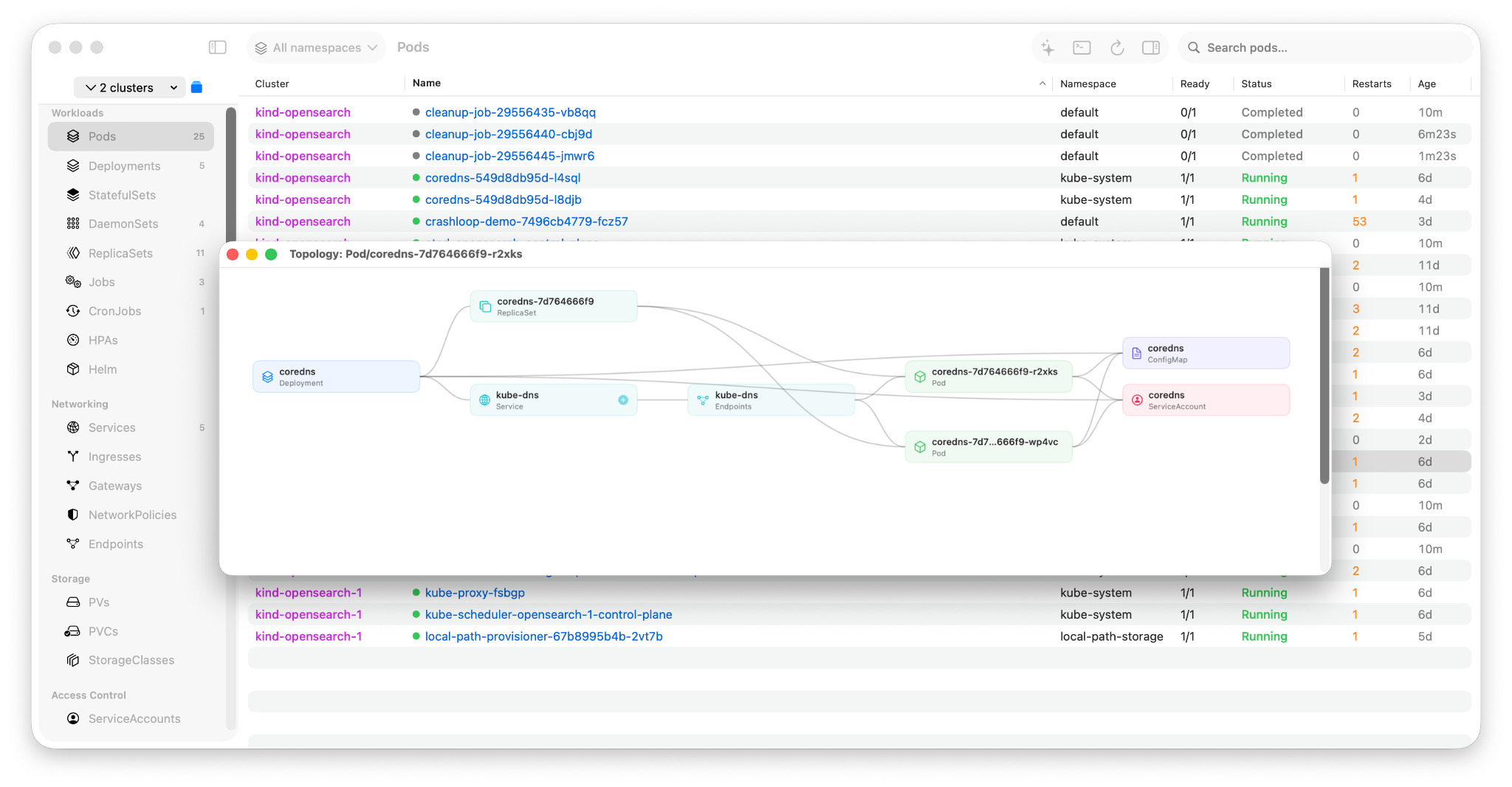
In Krust, open the Service and follow its topology to EndpointSlices and Pods. The useful part is not a prettier Service table; it is keeping the selector, endpoint addresses, Pod readiness, events, and logs in one investigation path. You can confirm the evidence before editing a label or restarting anything.
Krust is optional for this workflow—the same checks work with kubectl. If you want the visual path on macOS, start with Krust topology, then use the broader resource topology failure-path guide when the Service is only one edge in the incident.
Common wrong fixes
- Restarting CoreDNS: does not create endpoints.
- Deleting healthy Pods: replacement Pods keep the same wrong labels.
- Editing NetworkPolicy first: policy does not explain an empty selector result.
- Changing
targetPortblindly: validate the container’s real listening port. - Testing only from the Mac: first prove the Pod and Service path inside the cluster.
FAQ
Can a Service intentionally have no selector?
Yes. Services for external or manually managed backends can omit spec.selector. In that case, you manage EndpointSlices separately; Kubernetes will not derive them from Pods.
Does a failing readiness probe remove a Pod from Service traffic?
For ordinary Service routing, an unready Pod is not treated as a ready backend. Inspect the readiness probe and Pod events before changing the Service selector.
Are Endpoints and EndpointSlices the same thing?
EndpointSlice is the scalable API Kubernetes uses for Service backends. The older Endpoints API is deprecated in current Kubernetes documentation, so new troubleshooting workflows should inspect EndpointSlices.